Canva is great for quick, everyday design: social posts, presentations, simple flyers and keeping your team on brand with templates. It’s not the right tool for your logo or for complex brand and print work.
Canva’s own help centre says logos made from its templates can’t be registered as trademarks (Canva). The smartest setup for most small businesses is to have a designer build the brand, then use Canva for the day-to-day.
Quick verdict
| Canva works well for | Bring in a designer for |
|---|---|
| Social media posts and stories | Your logo and brand identity |
| Presentations and simple documents | Brand guidelines |
| Quick flyers and event promos | Packaging and complex print |
| Keeping a team on brand with templates | Anything that needs to stand out from competitors |
| Last-minute edits and resizing | Large print runs where colour accuracy matters |
Pros of using Canva
Easy to learn
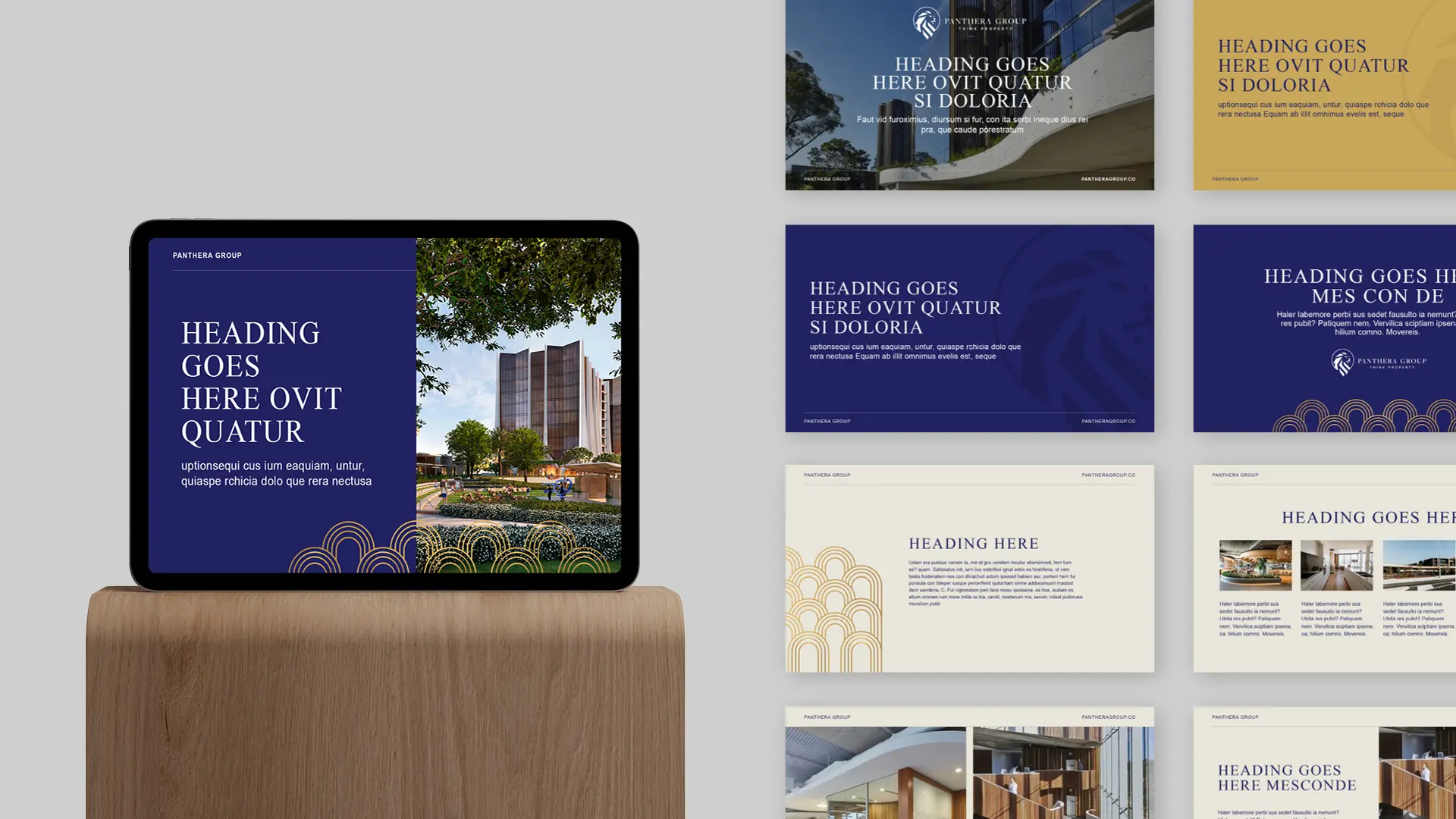
Canva’s drag-and-drop editor means anyone on your team can make something presentable without design training. That makes it ideal for busy owners and staff who need a post out today.
A huge template library
There are templates for social media, presentations, posters, documents and more. They’re a fast starting point. The catch comes up under the cons.
Brand Kit keeps your team consistent
On paid plans, Canva lets you save your logos, colours and fonts in one place, so every post and document starts from your brand, not from scratch. This is where Canva is most useful for a business: one set of approved brand assets that the whole team uses.
Affordable
There’s a free version, and the paid plans cost far less than professional design software. For everyday content, that’s hard to beat.
Built for teams
Multiple people can work on a design, leave comments and share it for approval, which suits small teams and businesses working with an agency.
Works on almost any device
It runs in your browser, on a desktop app and on mobile, so you can make quick edits wherever you are.
Cons of using Canva
You can’t trademark a logo made from Canva templates
This is the big one. Canva says its logo templates “can be used by anyone”, so your rights to a logo built from them are non-exclusive and you can’t register it as a trademark. It says the same about stock graphics in a logo (Canva). If your logo matters to your business, and it does, have it designed from scratch.
Designs can look generic
Thousands of businesses use the same templates. Without real customisation, your posts can look like your competitors’. In crowded fields like clinics and fitness, that makes it harder to stand out.
Good design still takes skill
Canva makes the tools easy, but layout, hierarchy, colour and type still decide whether something looks professional. A template doesn’t fix a weak design choice.
Limited typography control
You get plenty of fonts, but less fine control than professional tools. Uploading your own brand fonts is limited to paid plans such as Pro, Teams and Business, and the fonts must be licensed for embedding (Canva).
Print takes care
Canva can produce print files, but colours are converted from screen colours to print colours. Canva itself notes that very bright colours, like electric blues and hot pinks, may print softer or more muted (Canva). For business cards, signage and large print runs, have a designer or your printer check the file first.
Offline use is limited
You can now set up offline access on supported browsers and apps, but only for existing designs. Templates, AI features, collaboration and exporting still need an internet connection, and offline access lasts up to 14 days (Canva).
Licensing still matters
Canva’s stock photos, graphics and fonts come with usage terms. Check them before using premium content in ads, products or anything you plan to sell.
What’s changed: Canva now owns a free professional design app
The old answer to “Canva isn’t advanced enough” was “pay for professional software”. That’s changed. Canva owns Affinity, and the all-new Affinity, which combines photo editing, vector design and page layout, is now free on Mac and Windows (Canva newsroom). Some AI features inside it need a paid Canva account.
Free software doesn’t replace design skill, though. The tools are more accessible than ever. Knowing how to build a brand that works everywhere is still the hard part.
How to use Canva without your brand looking generic
Five steps
- Start with a real brand. Get your logo, colours, fonts and guidelines designed properly first.
- Load it into Brand Kit. Save your approved assets so everyone uses the same ones.
- Use custom templates, not stock ones. Templates built from your brand look like you, not like everyone else.
- Lock the important bits. Keep logo placement and colours consistent, and let the team change only the text and images.
- Get print files checked. Especially for signage, business cards and anything in bright colours.
We can set up branded Canva templates for your team, so everyday content stays on brand.
When to use Canva and when to call a designer
| Job | Canva | Designer |
|---|---|---|
| Weekly social posts | Yes | Set up the templates |
| Logo | No | Yes |
| Brand guidelines | No | Yes |
| Event flyer | Yes, from a branded template | For the main campaign artwork |
| Business cards and signage | Possible, with checking | Yes |
| Packaging | No | Yes |
| Website design | No | Yes |
Need a brand that works in Canva and everywhere else?
We design logos, brand identities and guidelines, plus print and digital materials, and we can manage printing for you.
RelatedBranding ↗Graphic design ↗
Need a brand that works everywhere?
Tell us what you need and we’ll come back with a straight answer.
Questions, answered
Is Canva good enough for a small business?
For everyday content like social posts, presentations and simple flyers, yes. For your logo, brand identity, packaging and complex print, use a designer. A good setup is a designed brand loaded into Canva for the team to use day to day.
Can I use a Canva logo for my business?
You can use it, but Canva says logos made from its templates are non-exclusive and can’t be registered as trademarks. If you want to protect your brand, have your logo designed from scratch.
Can Canva make print-ready files?
Yes, but screen colours are converted for print, and very bright colours may print softer. Have important print jobs checked by a designer or your printer.
Can I use my own fonts in Canva?
Yes, on paid plans such as Pro, Teams and Business, as long as the fonts are licensed for embedding.
Does Canva work offline?
Partly. You can set up offline access for existing designs on supported browsers and apps, for up to 14 days. Templates, AI tools, collaboration and exporting need an internet connection.