


Why Website Speed Matters
User Experience
Faster loading times lead to a better user experience. Visitors are more likely to stay on your site and explore further if it loads quickly.
SEO Benefits
Search engines like Google consider page speed as a ranking factor. A faster website can improve your position in search engine results pages (SERPs).
Higher Conversion Rates
A slow website can lead to lost sales and conversions. Studies show that even a one-second delay in loading time can result in reduced conversions.
Lower Bounce Rates
A fast-loading website reduces bounce rates by keeping users on your site longer, increasing the chances of engagement and interaction
Key Strategies to Optimise Your Website for Speed

Optimise Images
Why: Large image files are one of the most common causes of slow loading times.
How: Compress images using tools like TinyPNG or JPEG Optimizer without sacrificing quality. Use the correct image format (JPEG for photos, PNG for graphics with transparency) and ensure dimensions are appropriate for your website.
Enable Browser Caching
Why: Caching stores a version of your website on users’ browsers, reducing the time it takes to load on subsequent visits.
How: Set up browser caching by configuring your server settings or using a caching plugin if your site is on WordPress.
Minimise HTTP Requests
Why: Each element on a webpage (images, scripts, CSS files) requires an HTTP request, which can slow down loading times.
How: Reduce the number of requests by minimising the use of unnecessary images and scripts, combining CSS files, and reducing the number of plugins.
Use a Content Delivery Network (CDN)
Why: A CDN stores copies of your site’s content on multiple servers around the world, reducing the distance data needs to travel to reach users.
How: Sign up for a CDN service like Cloudflare or Amazon CloudFront to improve loading times, especially for global audiences.
Optimise CSS and JavaScript
Why: Large or inefficient CSS and JavaScript files can slow down your website’s loading time.
How: Minify your CSS and JavaScript files using tools like CSSNano or UglifyJS to reduce file sizes. Consider asynchronous loading for JavaScript files so they don’t block rendering.
Reduce Server Response Time
Why: A slow server response time can significantly impact your website’s loading speed.
How: Choose a reliable hosting provider, optimise your database, and ensure your server is properly configured to handle traffic efficiently.
Implement Lazy Loading
Why: Loading all images and content at once can slow down your initial page load.
How: Implement lazy loading so that images and content are only loaded as they come into the user’s view, improving perceived loading times.
Enable GZIP Compression
Why: GZIP compression reduces the size of files sent from your server to the user’s browser, speeding up the loading process.
How: Enable GZIP compression on your server, or use a plugin if you’re using WordPress, to compress HTML, CSS, and JavaScript files.
Optimise Your Web Hosting
Why: The quality of your web hosting can have a significant impact on your site’s speed and performance.
How: Invest in a reputable hosting provider that offers good speed and uptime. Consider upgrading to a VPS or dedicated server if you’re currently using shared hosting.
Reduce Redirects
Why: Redirects create additional HTTP requests and increase loading times.
How: Minimise the use of redirects by cleaning up your site’s architecture and fixing broken links.
Monitoring and Testing Your Website Speed
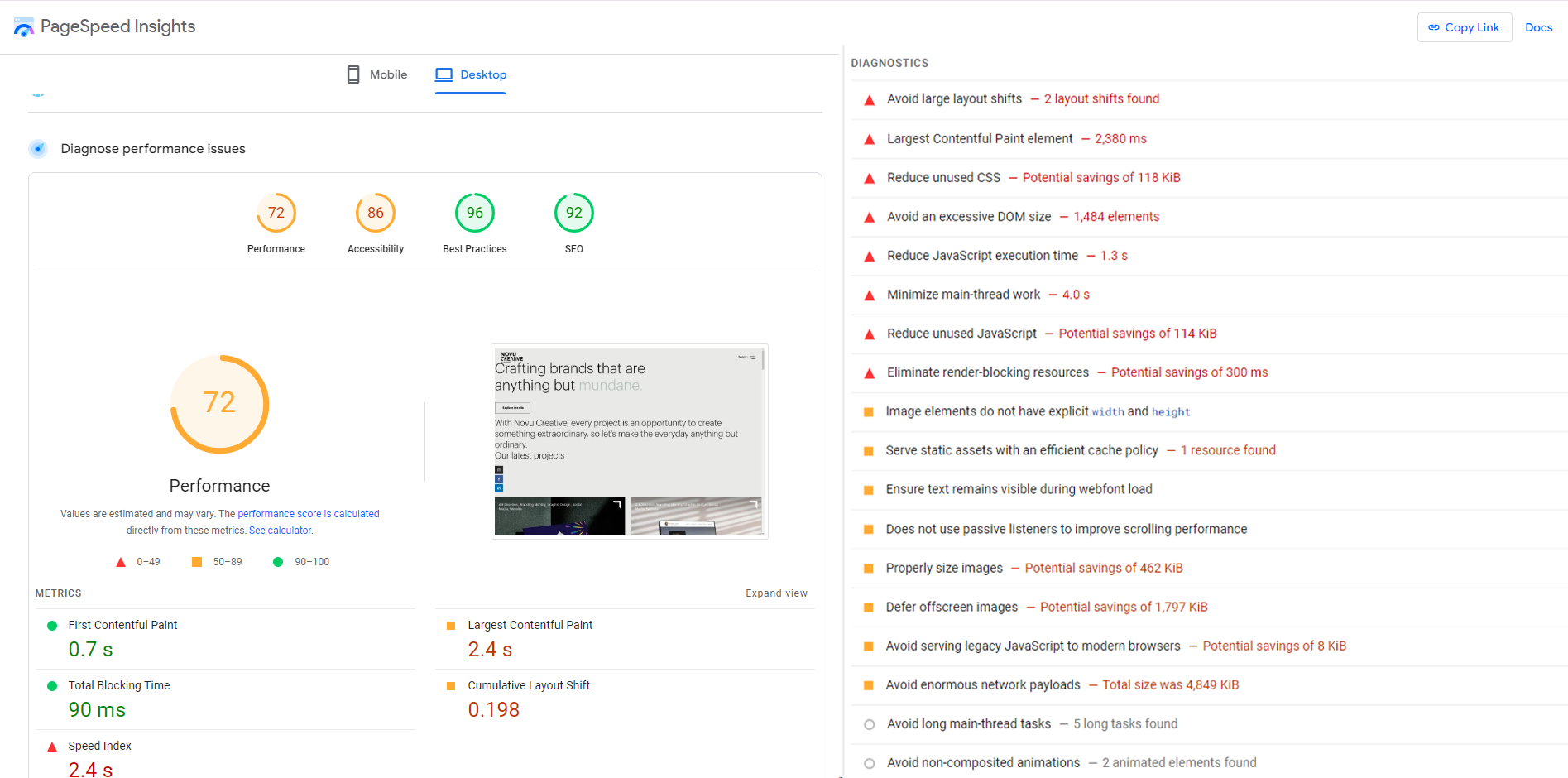
Use Speed Testing Tools
Regularly test your website’s speed using tools like Google PageSpeed Insights, GTmetrix, or Pingdom. These tools provide insights into your site’s performance and offer recommendations for improvement.
Monitor Mobile Performance
Ensure your website is optimised for mobile devices. Mobile users expect fast loading times, and search engines penalise slow mobile sites.
Regularly Update and Maintain Your Site
Keep your website’s software, plugins, and themes up to date. Regular maintenance helps prevent performance issues and security vulnerabilities.
Conclusion
Optimising your website for faster loading times is essential for providing a great user experience, improving SEO, and increasing conversions. By following these strategies, you can ensure your website runs smoothly and efficiently, keeping your visitors engaged and satisfied.

At Novu Creative, we’re here to help you with all aspects of website optimisation. Whether you need assistance with image compression, server configuration, or implementing a CDN, we’ve got you covered.
Ready to improve your website’s visibility with SEO?
Contact Novu Creative today and let’s start optimising your site for success.